Chrome Extensions
conference-talk-reader
What It Does
Section titled “What It Does”Open a General Conference talk on churchofjesuschrist.org, hit play, and the on-page transcript lights up word by word in sync with the audio. Built for ADHD auditory-visual learners — reading and hearing the same word at the same instant locks the focus loop in place.
The whole thing runs locally inside the browser tab. Audio is the broadcaster’s own recording (already on the page via the Bitmovin player). Subtitles are pulled from Brightcove’s CDN as a static .vtt file, parsed into phrase-level cues, then interpolated into word-level timings by aligner.js right there in the content script. As the player ticks, karaoke.js walks the DOM and lights the matching word.
Zero paid API calls. Zero AI inference. One static CDN fetch and a localhost-only log POST. That is the entire outbound surface.
Architecture
Section titled “Architecture”Three views of the same architecture, drawn three different ways.
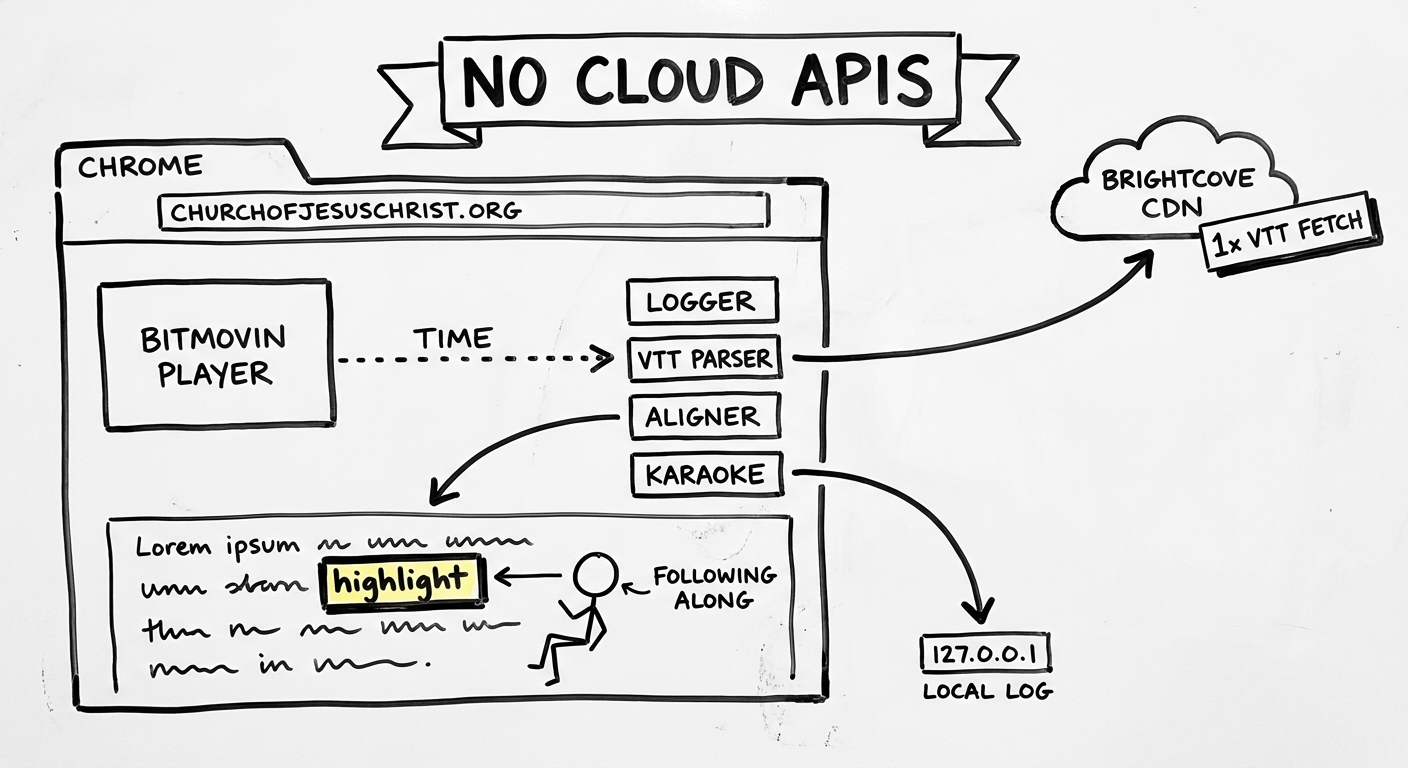
Linear flow. The content scripts run inside the Chrome window. The page’s own Bitmovin player feeds the current playback time into the column. One outbound arrow leaves the tab to Brightcove’s CDN for a single VTT fetch; one drops to the localhost log receiver. The listener follows along by ear.
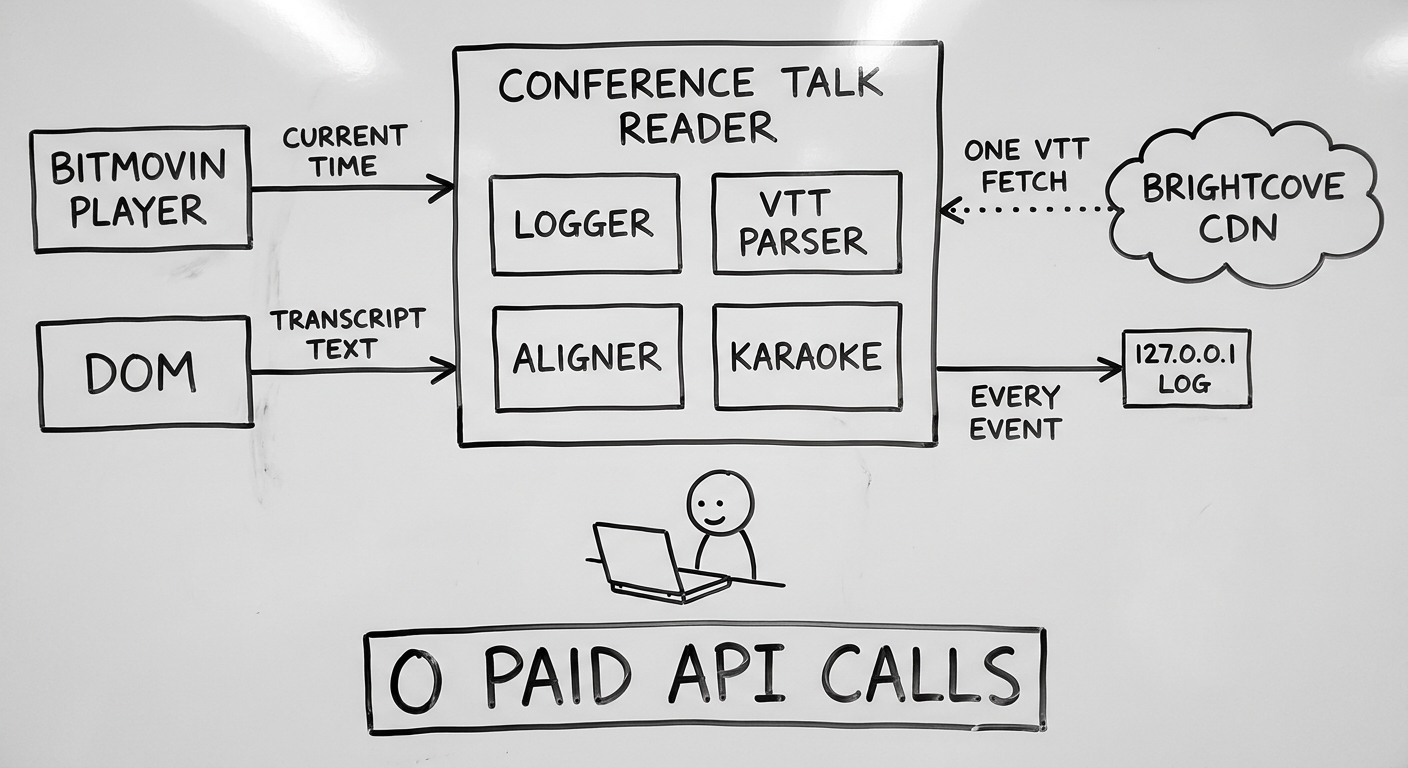
Hub and spoke. The extension is the hub; everything passes through it. Two inputs (player time, DOM transcript) come in from the left. Two outputs (one VTT fetch, every-event log) go out to the right. The Conference Talk Reader is the only thing in the middle, and there is no cloud anywhere on the diagram.
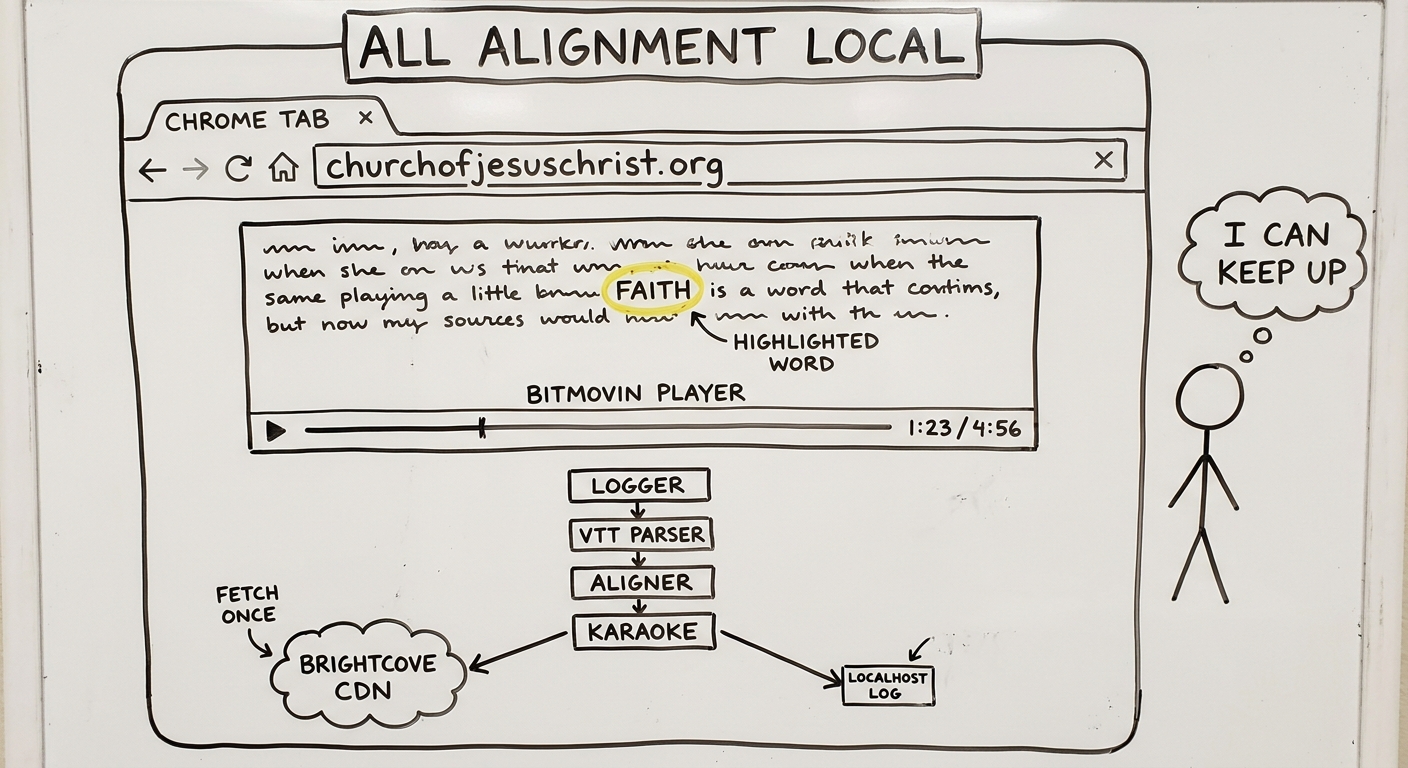
Tab stack. What you actually see and what is happening underneath. The visible page is the transcript with one word lit yellow and the player bar. The engine column sits below and runs continuously. Two rails leave the tab — one to the CDN (once), one to the local log (every event).
When To Use
Section titled “When To Use”- During General Conference replay sessions when you want to read along with the speaker without losing your place.
- Family scripture study where one person reads aloud and the rest follow on screen — the highlight keeps everyone synchronized.
- Personal study while doing something else (folding laundry, driving with audio playing on the laptop) — glance up and you are immediately back in the right paragraph.
How To Install
Section titled “How To Install”- Pull the latest from
~/apps/conference-talk-reader/withgpushor a manualgit pull. - Open
chrome://extensions, enable Developer Mode, click Load Unpacked. - Select the
extension/folder inside the repo (not the repo root). - Pin the extension to the toolbar — the popup shows the current build number.
- Open any
study/general-conference/<year>/<month>/<talk>page onchurchofjesuschrist.org. - Hit play. Highlighting starts on the first word the speaker says.
To verify it is working, tail the local log:
tail -F ~/apps/cc/logs/conference-talk-reader.logIf the log file does not exist yet, the extension has not run on a Conference talk page on this machine. The chrome-log-receiver launchd service must be up — lsof -i :9876 should show a Python process listening.
Prerequisites
Section titled “Prerequisites”| Requirement | Where |
|---|---|
| Manifest permissions | content_scripts for https://www.churchofjesuschrist.org/study/general-conference/* |
| Host permissions | https://lds.brightcovecdn.com/*, http://127.0.0.1/* |
| Local log receiver | ~/apps/cc/chrome-log-receiver.py running on port 9876 (launchd: com.cc.chrome-log-receiver) |
| External services | None |
| API keys | None |
No tokens, no auth, no rate-limited APIs. The extension is fully local plus a single static CDN read.
Where It Lives
Section titled “Where It Lives”- Repo:
~/apps/conference-talk-reader/ - Loaded folder:
~/apps/conference-talk-reader/extension/ - Entry files:
manifest.json,content.js,vtt-parser.js,aligner.js,karaoke.js,logger.js,page-bridge.js - Build number:
build.txtat the repo root, bumped viabash bump-build.sh "what changed"(never hand-editmanifest.jsonversion) - Log output:
~/apps/cc/logs/conference-talk-reader.log - Test URL:
https://www.churchofjesuschrist.org/study/general-conference/2026/04/15gilbert?lang=eng
Known Gaps / Quirks
Section titled “Known Gaps / Quirks”- Phrase-level VTT, word-level highlighting via interpolation. The Brightcove subtitles arrive as phrase cues (e.g. “I will be honest with you, I felt some pressure”).
aligner.jsinterpolates those into word timings using character-count weighting. It is good enough for most talks but can drift on speakers who pause between words, and a future “precision mode” using local forced alignment (whisper-based) is on the roadmap. - No backend, no sync. Every machine you load it on starts from scratch. No saved scroll positions or playback marks across devices.
- One page pattern only. The content script matches
study/general-conference/*. Scripture pages, Liahona articles, and Sunday lesson pages are out of scope until the manifest matcher gets extended. - Manifest description capped at 132 chars by Chrome. The
bump-build.shscript enforces this; manual edits tomanifest.jsonwill silently truncate.
Related
Section titled “Related”- Chrome Extension SOP — the universal pattern this extension follows (logger sending to localhost, no DevTools breadcrumbs).
~/apps/cc/chrome-log-receiver.py— the launchd service that catcheslogger.jsPOSTs.- The
ai-gospel-libraryproject plans tighter integration with this extension — same content domain, different surface.